The Ergonomic Physio
  • Home
  • About
  • Services
    • Ergonomics >
      • Individual Ergonomic Assessments
      • Office Ergonomic Sweeps
      • Ergonomics Workshops (Employee Education)
      • Ergonomic Assessment Training
      • Online Ergonomic Assessments
      • Home Office Ergonomic Assessments
      • Ergonomic Office Equipment Advice
    • Manual Handling >
      • Manual Handling Training
      • Manual Handling Risk Assessment
      • Manual Handling Training Video
  • Ergonomic Chairs
  • Contact
  • Quote
  • Home
  • About
  • Services
    • Ergonomics >
      • Individual Ergonomic Assessments
      • Office Ergonomic Sweeps
      • Ergonomics Workshops (Employee Education)
      • Ergonomic Assessment Training
      • Online Ergonomic Assessments
      • Home Office Ergonomic Assessments
      • Ergonomic Office Equipment Advice
    • Manual Handling >
      • Manual Handling Training
      • Manual Handling Risk Assessment
      • Manual Handling Training Video
  • Ergonomic Chairs
  • Contact
  • Quote
Search by typing & pressing enter

YOUR CART

Ergonomic Desk Set Up

Get the best ergonomic workstation set up by following these simple tips.
The following ergonomic checklist will guide you through the process of setting up your own workstation ergonomically, for both your office desk set up and your home office set up. 

Please note - the information provided on this page is generic in nature. It is designed to be used proactively to help you set up your workstation ergonomically and hopefully prevent symptoms from developing. It does not replace the need for a professional ergonomic assessment if you have pre-existing symptoms, or if symptoms develop. This information also does not take into consideration any individual variances, or existing musculoskeletal pain or injuries that you may have. We recommend you seek the advice of a health professional if you have existing musculoskeletal symptoms or an injury, or if you develop any symptoms after attempting to set up your workstation.

If you require further assistance, or would like to book a professional ergonomic assessment for an injured employee, or an ergonomic education session for your employees, please contact us directly at [email protected].

Office Desk Set Up

How to optimise your desk ergonomics and get the best office desk set up.
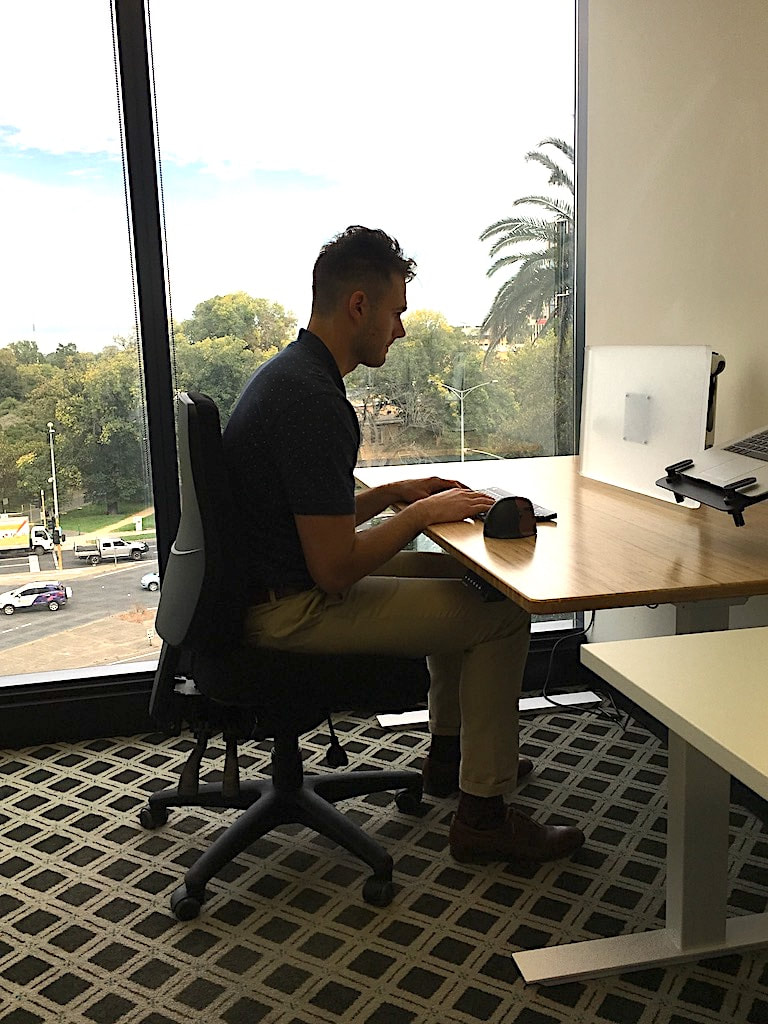
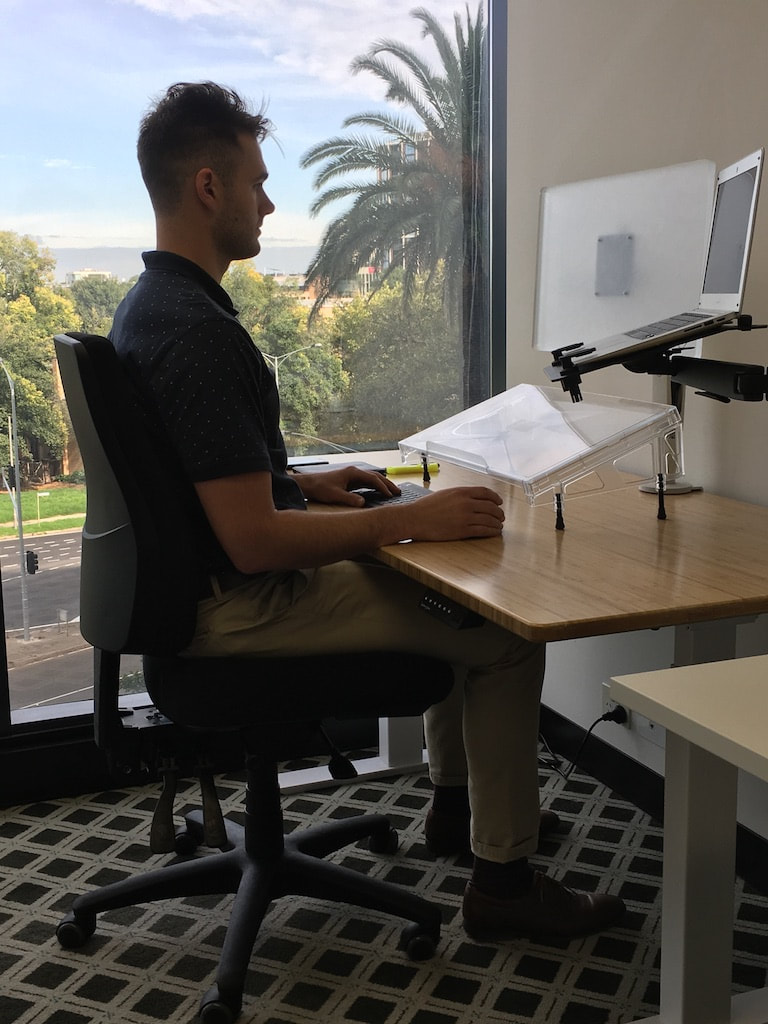
The following video is aimed at helping you to optimise your desk ergonomics and get the best office desk set up for your individual needs. It assumes you have access to standard office equipment at your desk. 

Home Office Set Up

How to optimise your desk ergonomics and get the best home office set up.
We understand that the majority of people working from home may not have access to all of the equipment that is shown in "Office Desk Set Up" video above. Instead, many people may be working from a kitchen bench or a makeshift desk, with a casual chair from around the house. As such, we have put together a tutorial, and photograph series, which more closely resembles the working environment that many people have when working from home, and should help you to optimise your desk ergonomics to get the best home office set up for your individual needs.
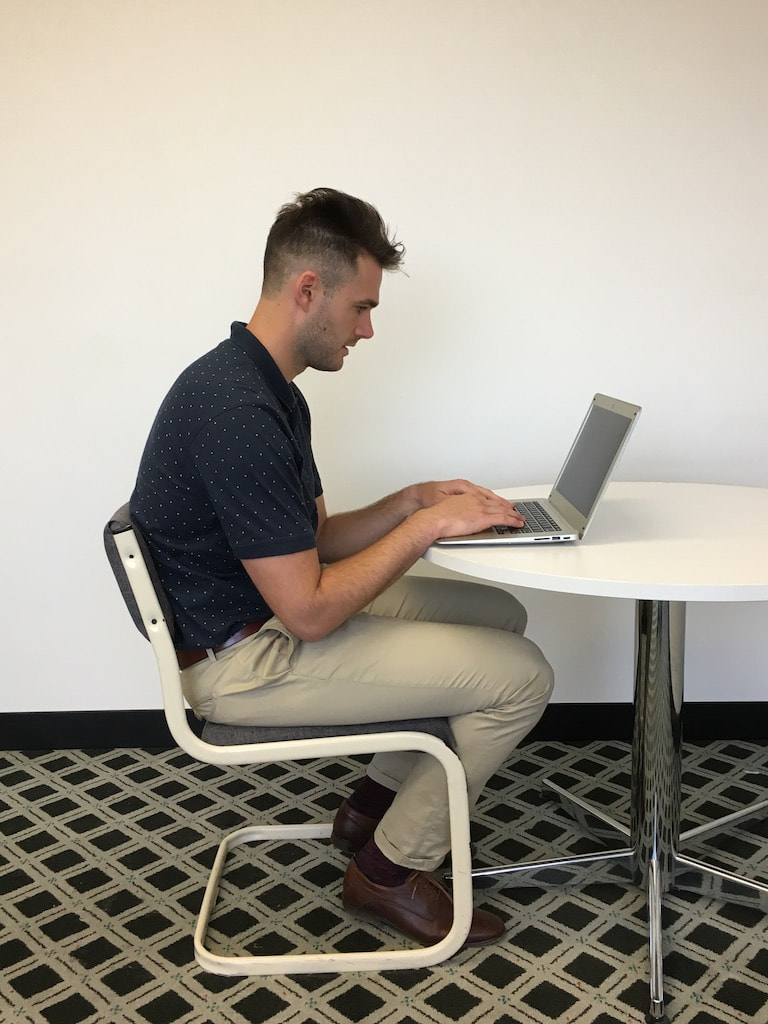
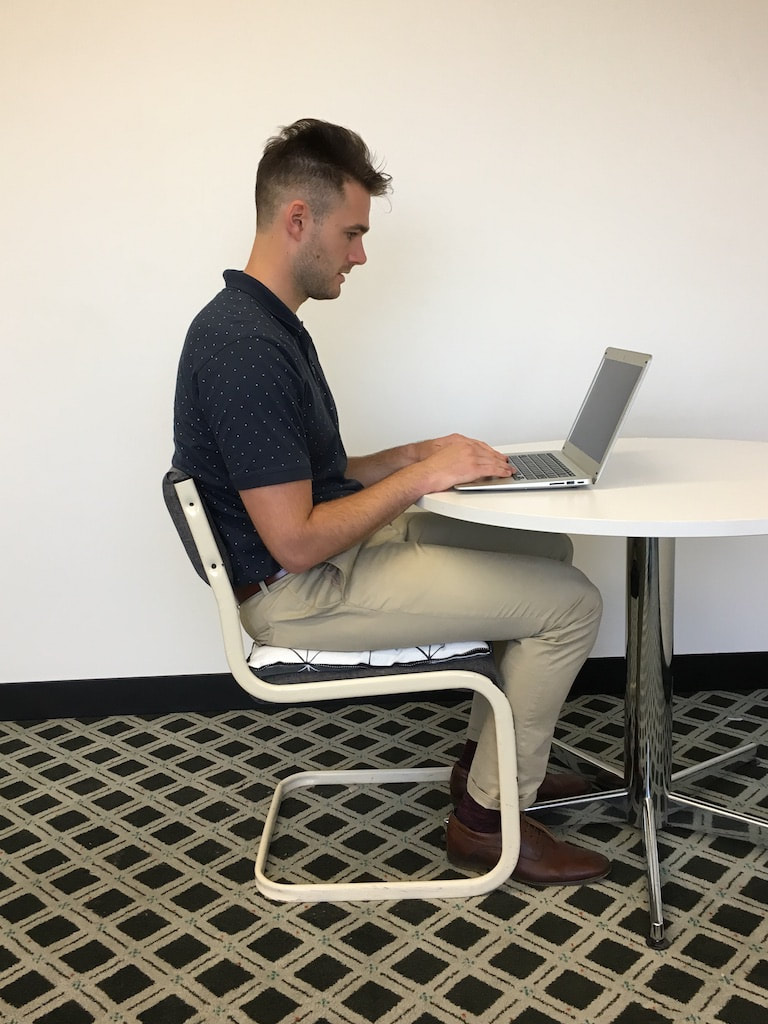
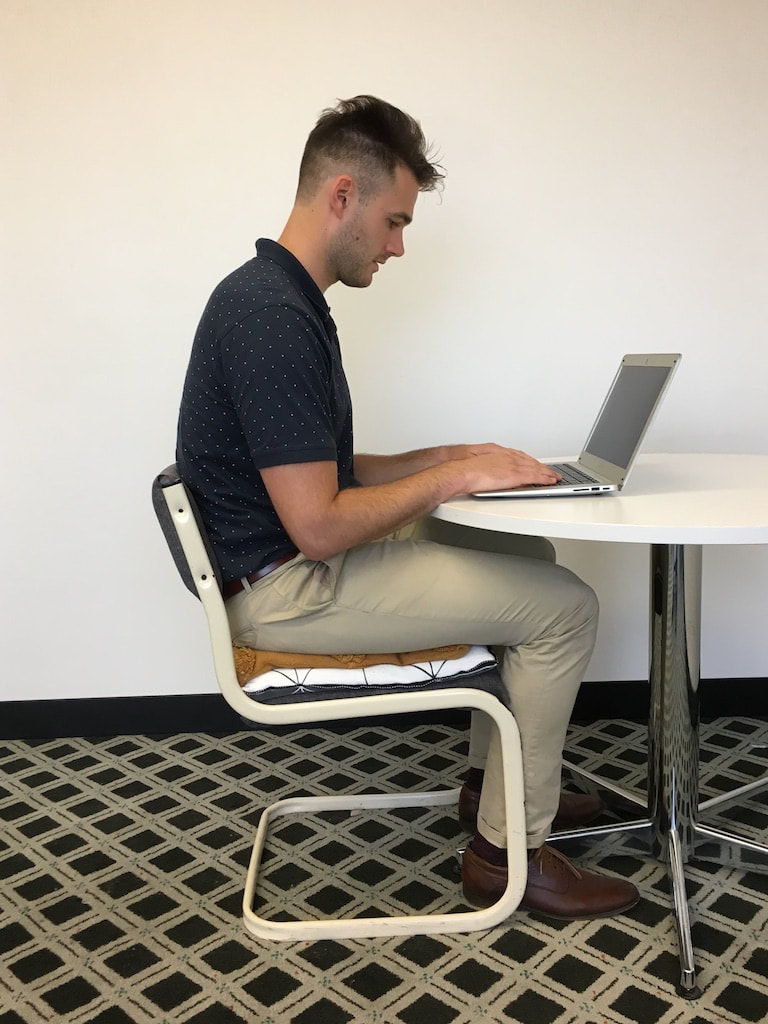
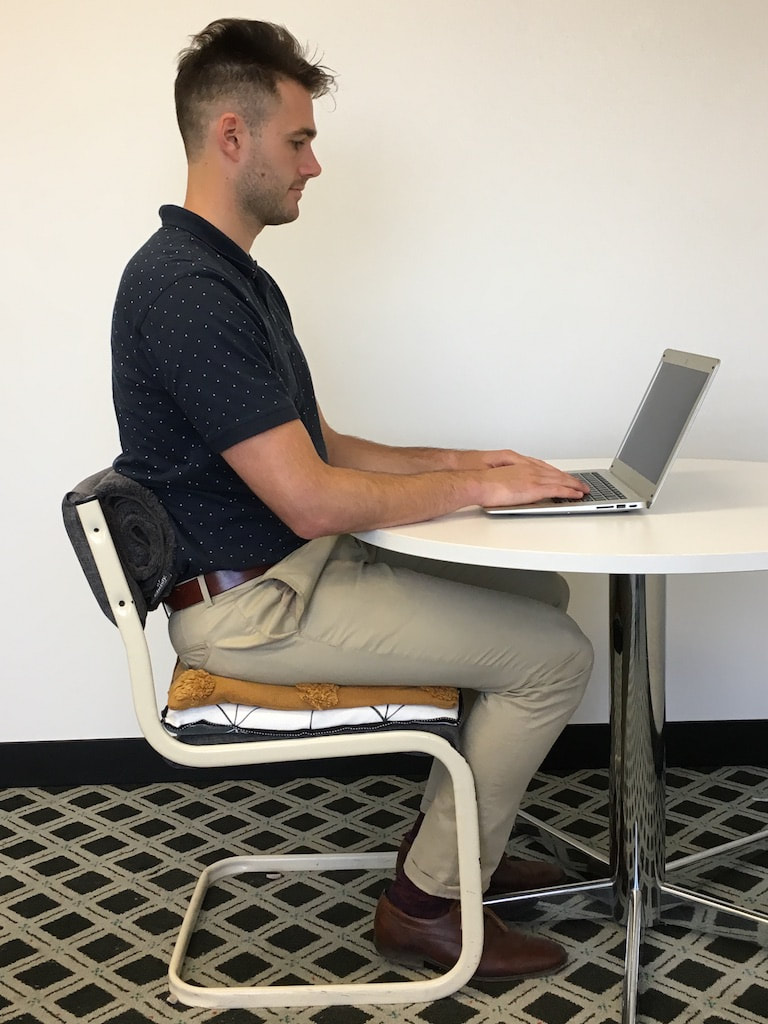
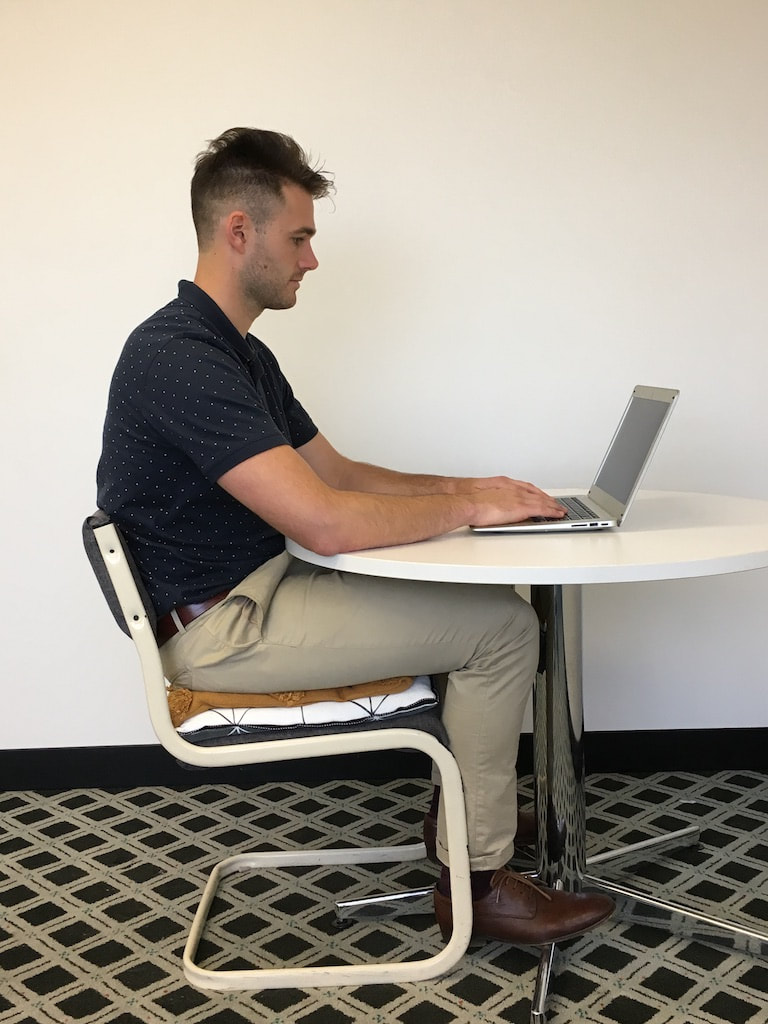
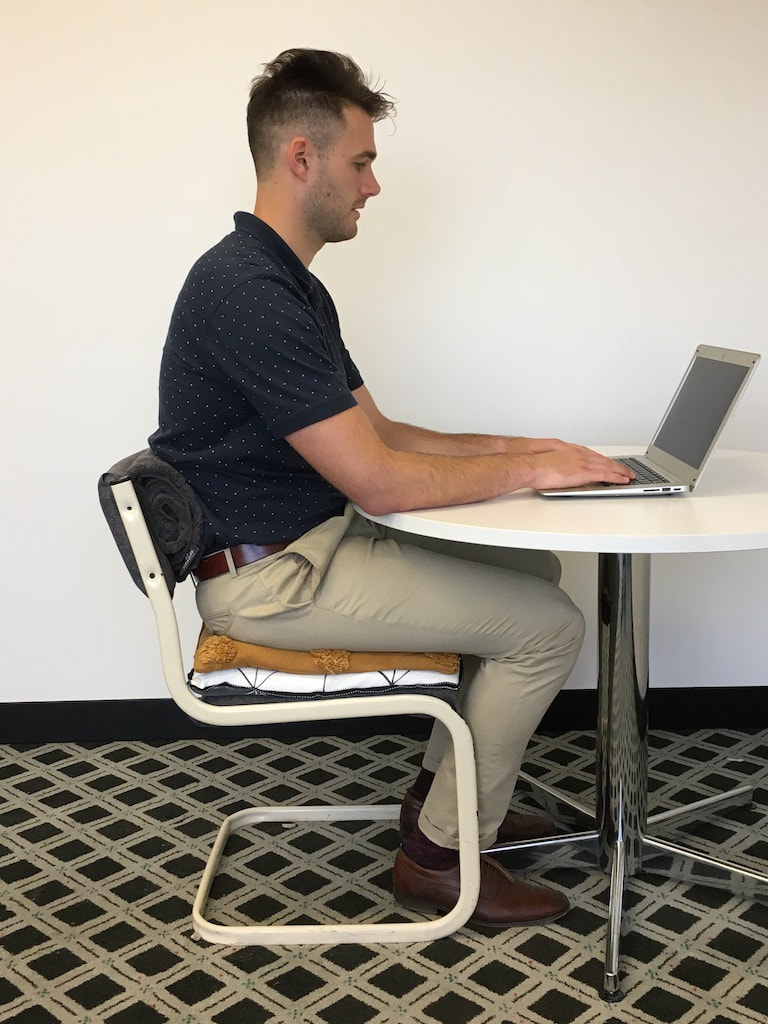
The following photograph series should be interpreted from left to right, row to row. 
home-office-set-up-1
This is a common set up in many homes and is very uncomfortable. Here the problems we can identify are a slouched posture, rounded shoulders, head poking forward, wrist pressure digging into desk, and excessive flexion at knees and ankles.
home-office-set-up-2
Additional of one pillow. This helps to reduce some strain on the wrists and props the body up a little more vertically. 
home-office-set-up-3
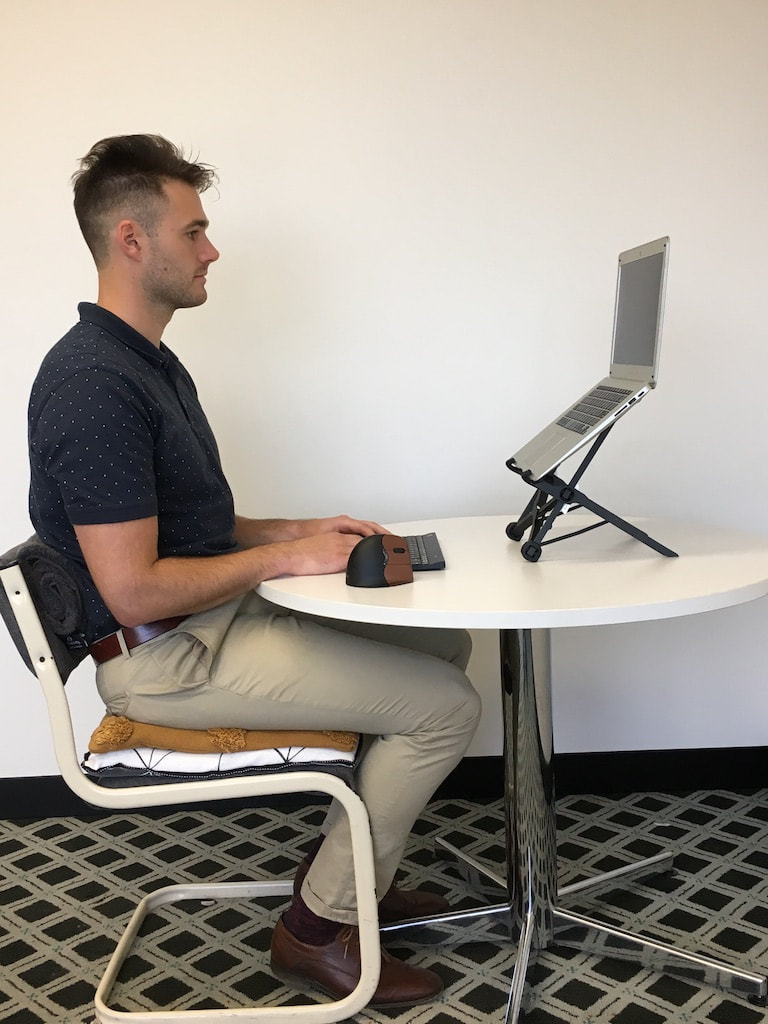
Addition of two pillows. This takes further strain off the wrist and legs. However, it may increase the amount of neck flexion required to view the laptop. Also, because this particular chair has very minimal back support, two pillows may actually reduce the back support because less of the back is in contact with the backrest.
home-office-set-up-4
Addition of a rolled up towel. This increases support for the spine, helping to facilitate a more erect posture with less slouching. The towel can be placed horizontally for more isolated support, or vertically for more distributed support. Choose the method that feels better for you.
home-office-set-up-5
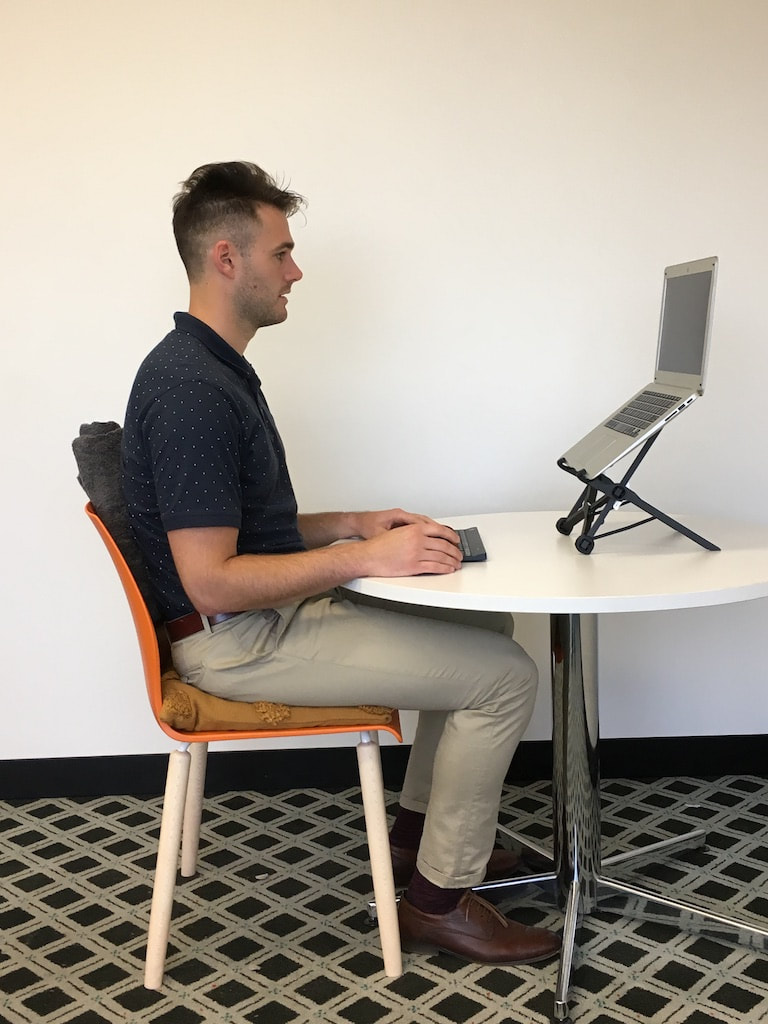
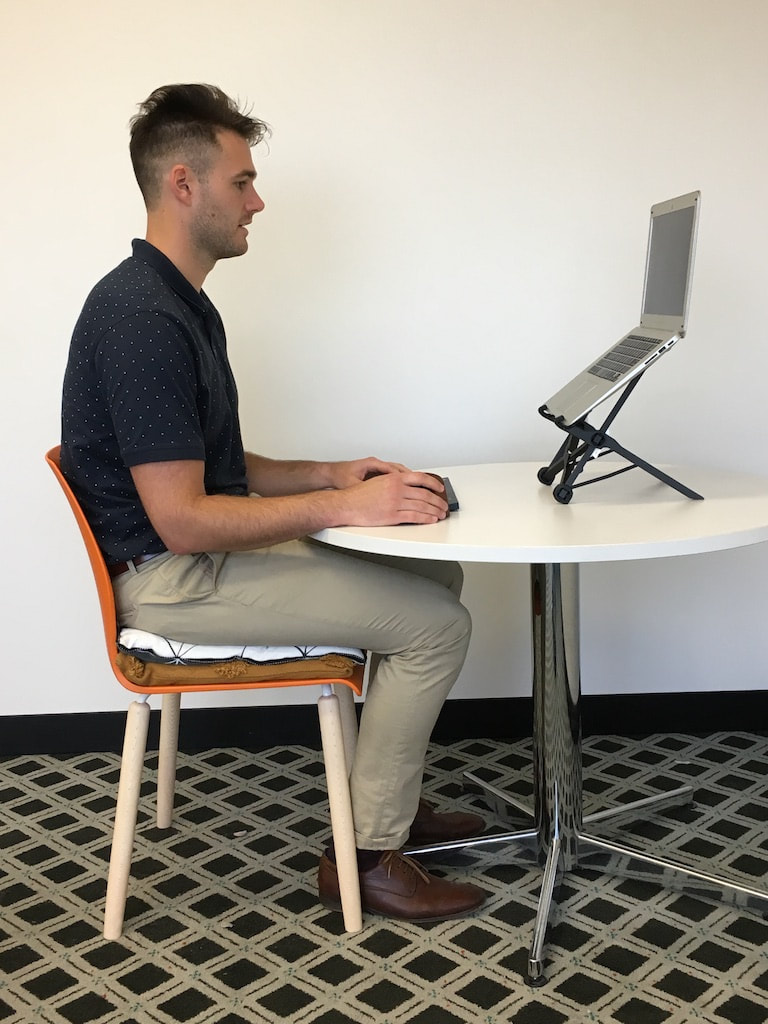
By pushing the laptop further away from the body, and pushing the chair in so you are as close as possible to the desk, you can rest more of your forearm on the desk. This may reduce the strain on your shoulders and neck, as well as reducing the degree of neck flexion required to view the laptop.
home-office-set-up-6
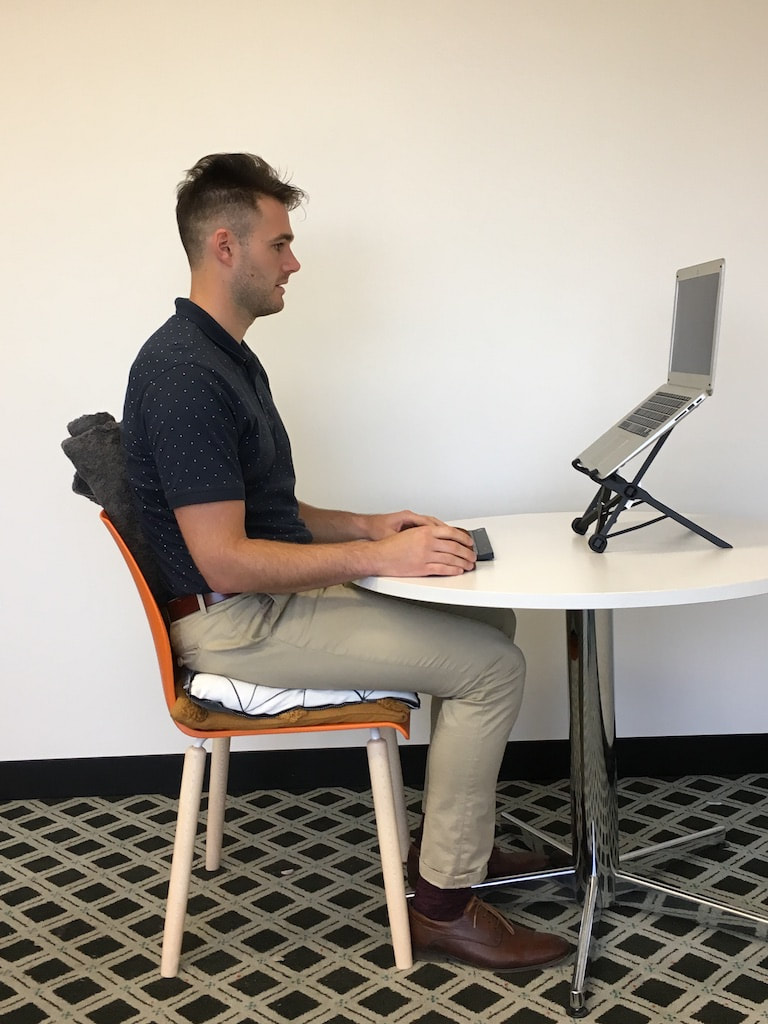
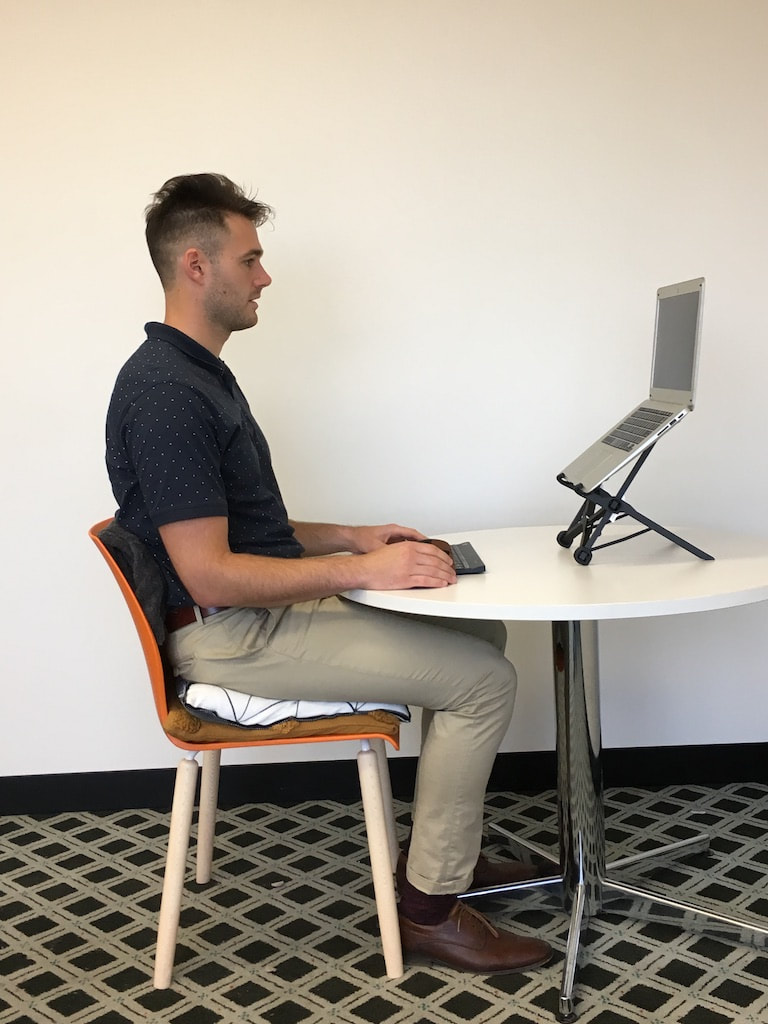
A rolled up towel can also be added to increase back support in this position.
home-office-set-up-7
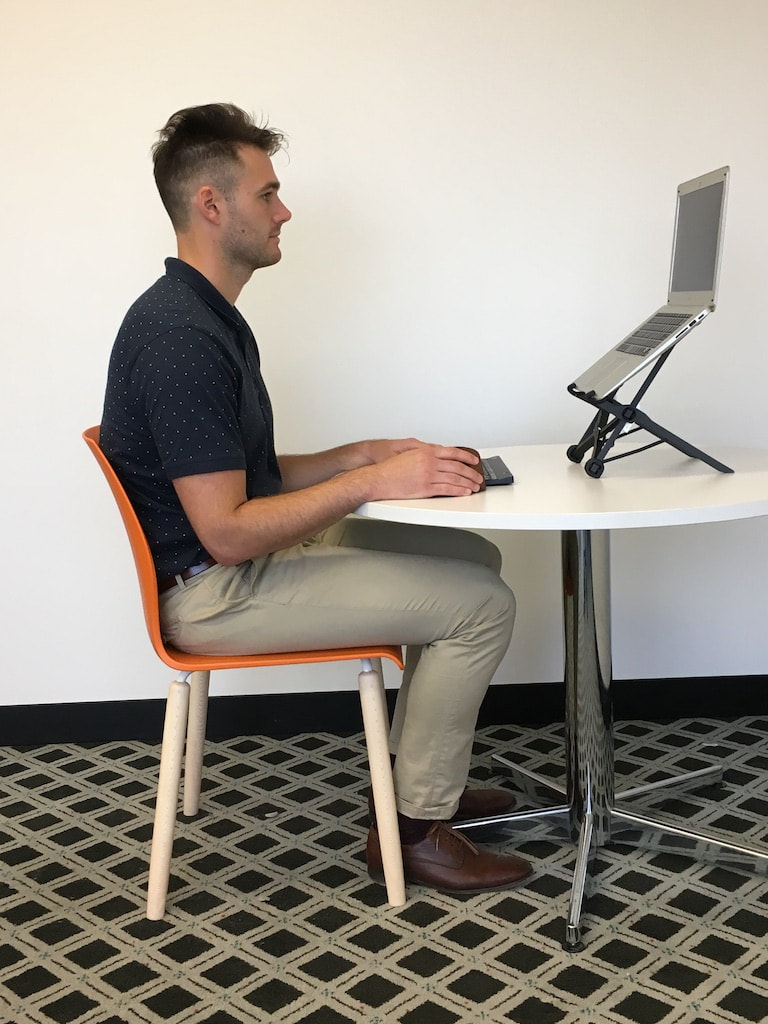
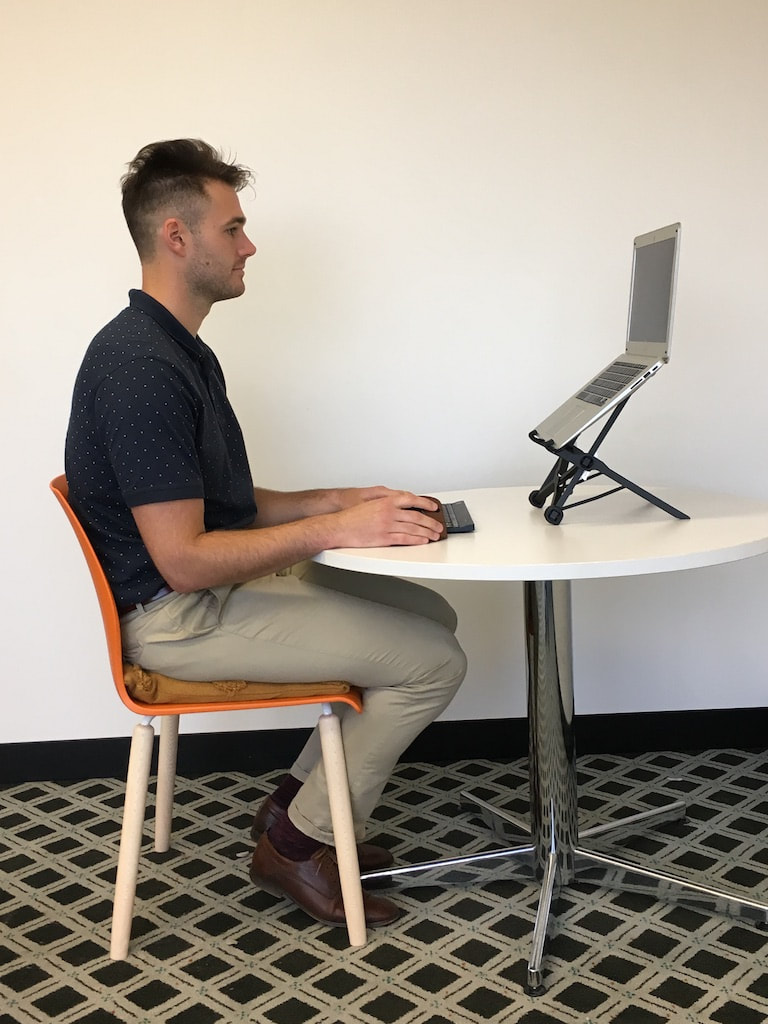
Adding a laptop riser and external keyboard and mouse allows you to reduce neck flexion to view the laptop, as well facilitating a more erect posture. If you do not have a laptop riser, you can use books from around the house.
home-office-set-up-8
Here is an example with a different chair, with a slightly higher backrest. This chair is still too low and causes rounded shoulders, pressure on the wrists and a slight forward head posture. 
home-office-set-up-9
The addition of one pillow begins to improve the users posture.
home-office-set-up-10
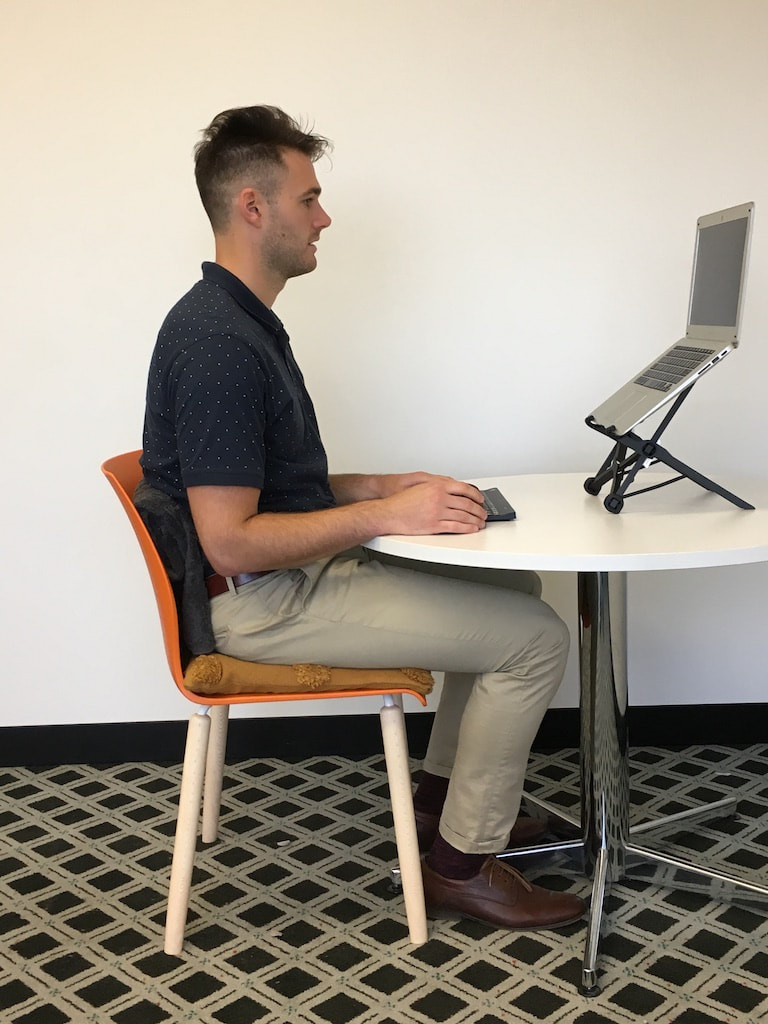
A rolled up towel behind the back helps to provide more spinal support.
home-office-set-up-11
The rolled up towel can also be placed vertically. Choose the method that is most comfortable for you.
home-office-set-up-12
Here two pillows have been added. This has reduced the strain placed upon the wrists considerably, but there is now less back support because less of the back is in contact with the backrest.
home-office-set-up-13
A rolled up towel placed vertically to increase spinal support.
home-office-set-up-14
A rolled up towel placed horizontally to increased isolated lumbar support.
home-office-set-up-15
By adding an adjustable ergonomic chair, the user is able to adopt a more relaxed and supported posture.
home-office-set-up-16
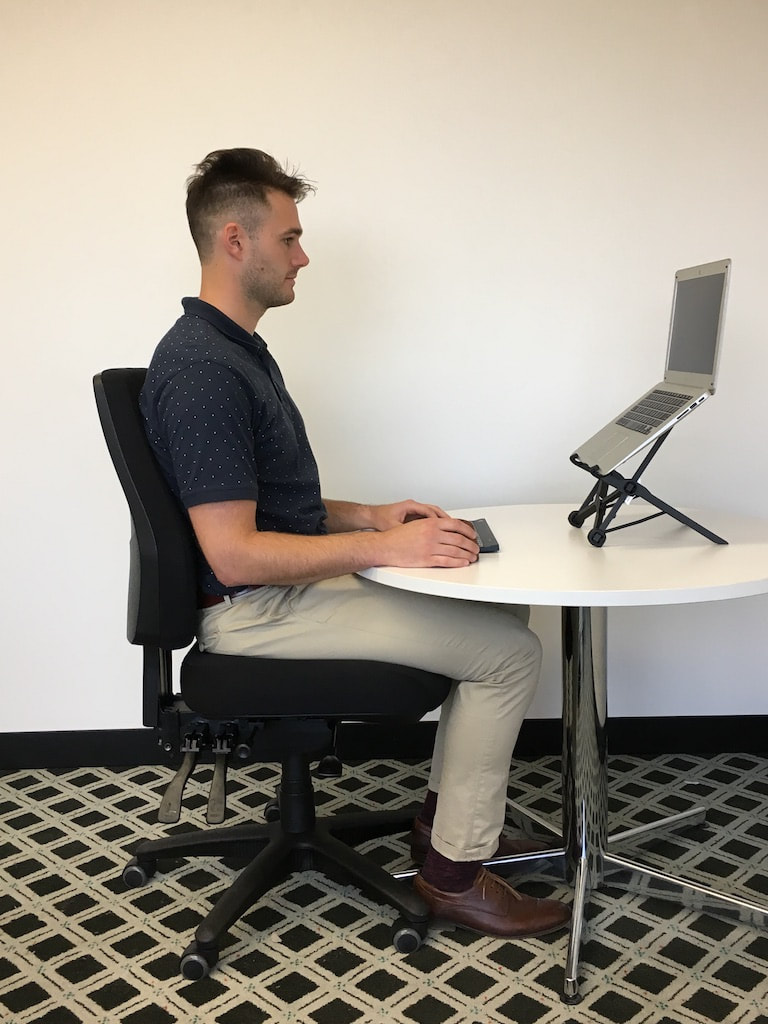
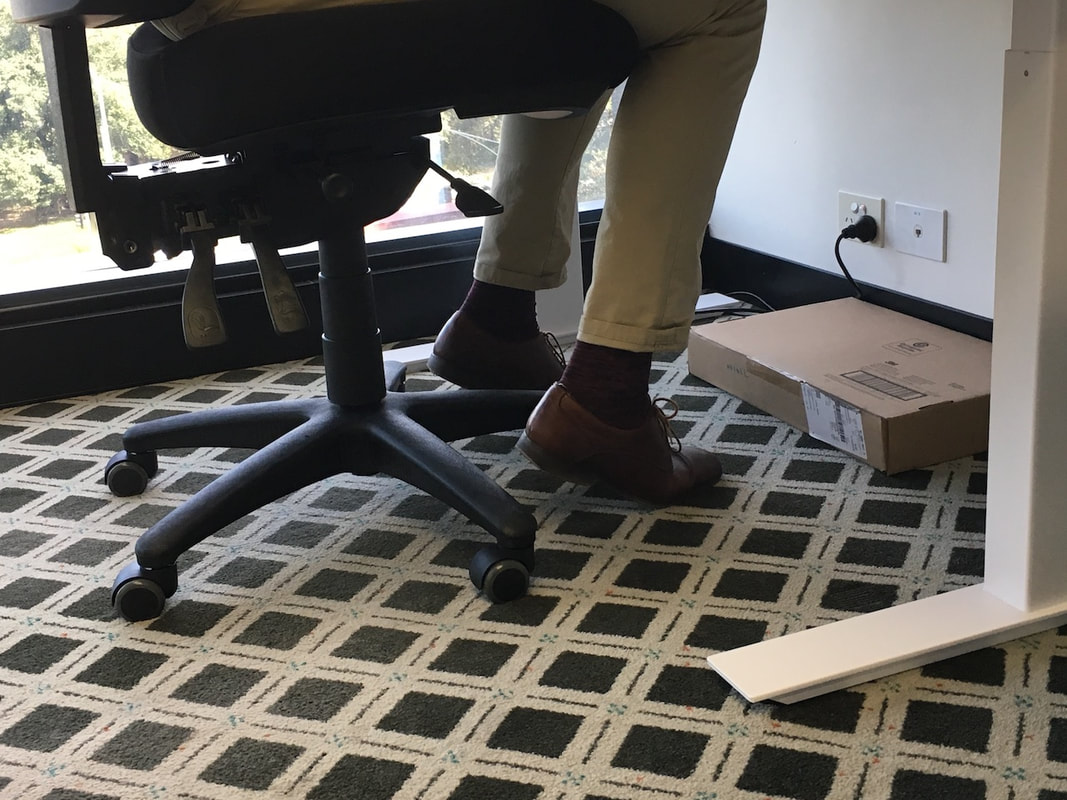
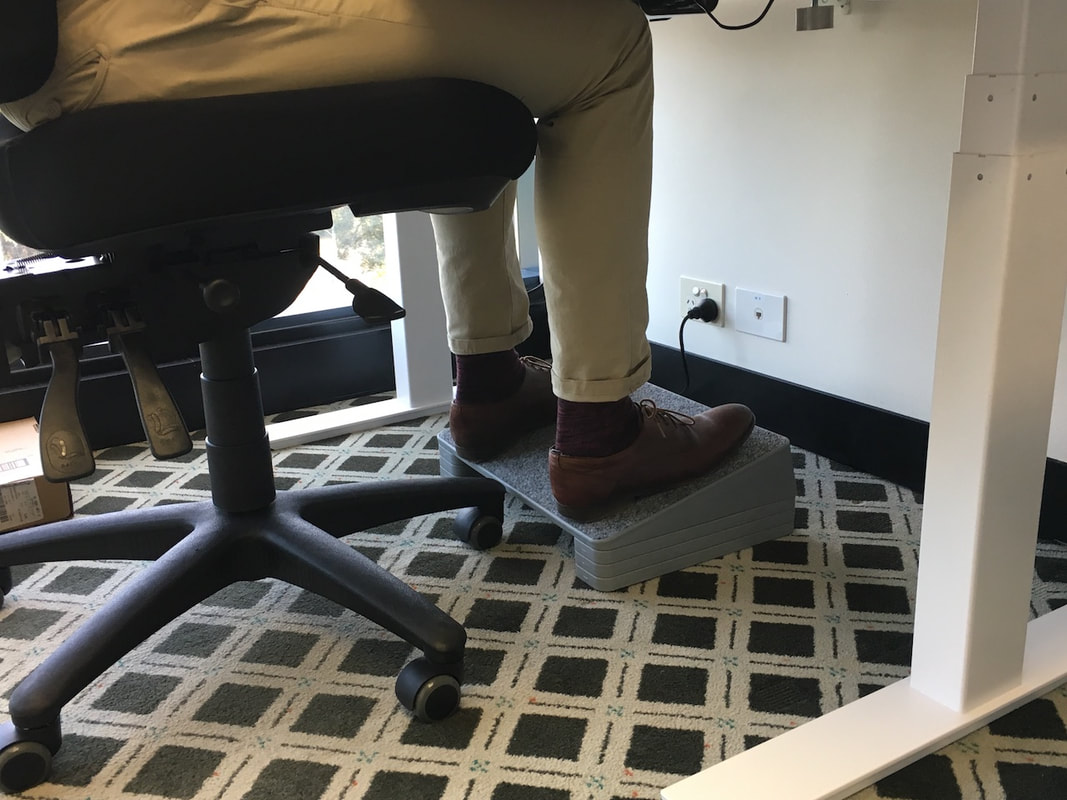
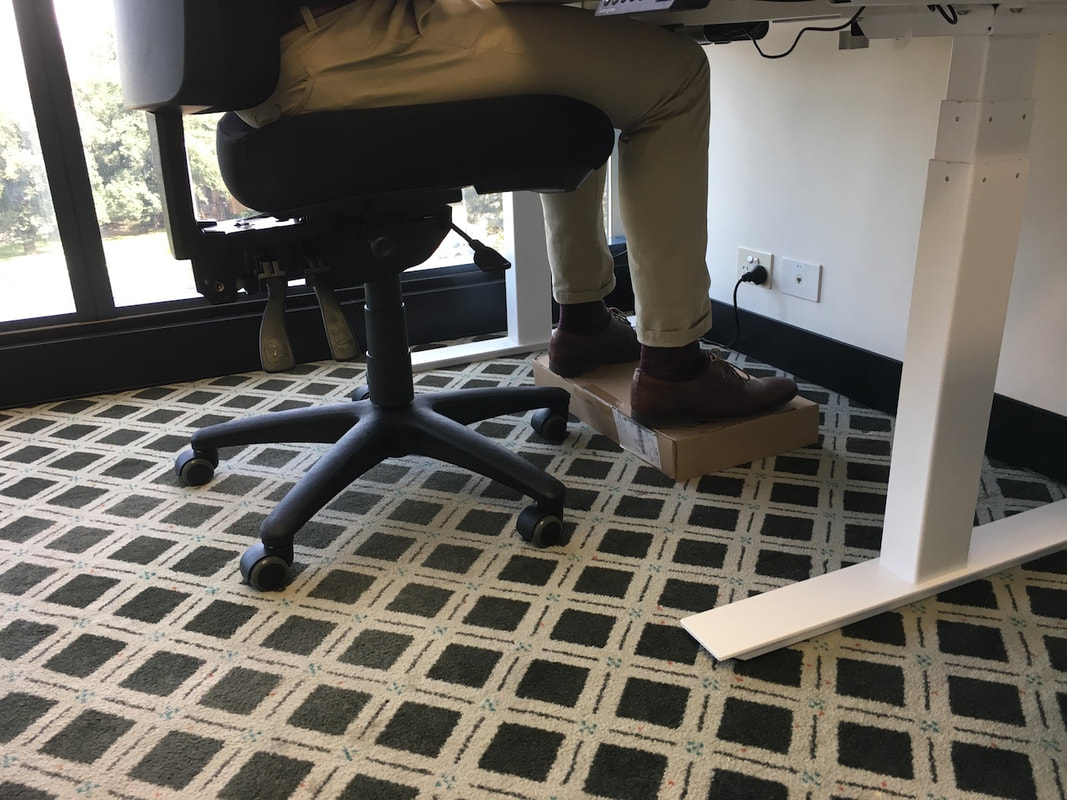
If your home office desk is at a height that results in your feet not being firmly planted on the ground when you are pushed in, you need to put something under your feet.
home-office-set-up-17
Here you can see a footrest being used to achieve this. 
home-office-set-up-18
A box or some books can be used in the home office if a footrest is not an option.

Ergonomic Assessments and Ergonomic Training

If after following the above guides to optimise your office desk set up and/or home office set up, you are still experiencing symptoms, or you develop symptoms after attempting to set up your own workstation, then a professional ergonomic assessment or ergonomic training session is indicated. 

For more information on our ergonomic assessments click here, and for ergonomic education workshops click here. Alternatively, please contact us at [email protected] to discuss your needs.

Ergonomic Chairs Melbourne

After performing over 7000 ergonomic assessments, we have seen almost every office chair available on the market today. We understand what a good ergonomic chair needs, as well as what it doesn't need. To help you select an ergonomic chair that is truly ergonomic and suitable for your needs, we have put together a small selection of chairs that we recommend to our own clients.

 We stand behind each of these chair and vouch for their quality and ergonomic functionality. 

Click here to view our recommended ergonomic office chairs.
Picture
ABN: 97 616 957 469
​

​P: (03) 9088 2003
E: [email protected]

Specialists in workplace ergonomic assessments, employee injury prevention education, and manual handling training. 
Information 

​​Home
About
Key Services
​Get a Quote
Ergonomic Chairs Melbourne
Terms and Conditions

Contact Us


Key Services

Ergonomic Assessments
Ergonomic Office Sweeps
Ergonomic Workshops (Employee Education)
Ergonomic Assessment Training
Online Ergonomic Assessments
Home Office Ergonomic Assessments
Manual Handling Training
Ergonomic Office Chairs

​
Ergonomic Assessments - Ergonomic Assessment Melbourne | Ergonomic Assessment Sydney | Ergonomic Assessment Canberra | Ergonomic Assessment Bendigo | Ergonomic Assessment Geelong | Ergonomic Assessment Ballarat | Ergonomic Assessment Gippsland | Ergonomic Assessment Shepparton | Ergonomic Assessment Echuca Moama | Ergonomic Assessment Albury Wodonga | Ergonomic Assessment Grampians | Ergonomic Assessment Brisbane | Ergonomic Assessment Adelaide | Ergonomic Assessment Newcastle | Ergonomic Assessment Central Coast NSW | Ergonomic Assessment Northern Rivers | Ergonomic Assessment Sunshine Coast | Ergonomic Assessment Gold Coast | Ergonomic Assessment Hobart | Ergonomic Assessment Launceston

Office Ergonomics Training - Ergonomics Training Melbourne | Ergonomics Training Sydney | Ergonomics Training Canberra | Ergonomics Training Bendigo | Ergonomics Training Geelong | Ergonomics Training Ballarat | Ergonomics Training Gippsland | Ergonomics Training Brisbane | Ergonomics Training Adelaide


Manual Handling Training - Manual Handling Training Melbourne | Manual Handling Training Sydney | Manual Handling Training Canberra | Manual Handling Training Bendigo | Manual Handling Training Geelong | Manual Handling Training Ballarat | Manual Handling Training Gippsland | Manual Handling Training Brisbane | Manual Handling Training Adelaide | Manual Handling Training Gold Coast | Manual Handling Training Sunshine Coast | Manual Handling Training Albury-Wodonga | Manual Handling Training Echuca-Moama | Manual Handling Training Newcastle | Manual Handling Training Hobart | Manual Handling Training Launceston | Manual Handling Training Shepparton | Manual Handling Training Grampians | Manual Handling Training Northern Rivers
Copyright © The Ergonomic Physio . All Rights Reserved.